
The hardware ships in week 16. The integration starts now.
The Hardware Imitator M10 is a USB-connected device that presents the exact same control interface and SDK as the platform in production. Same API, same commands, no physical motion. The software team writes and validates the motion SDK integration while production builds the real platform.
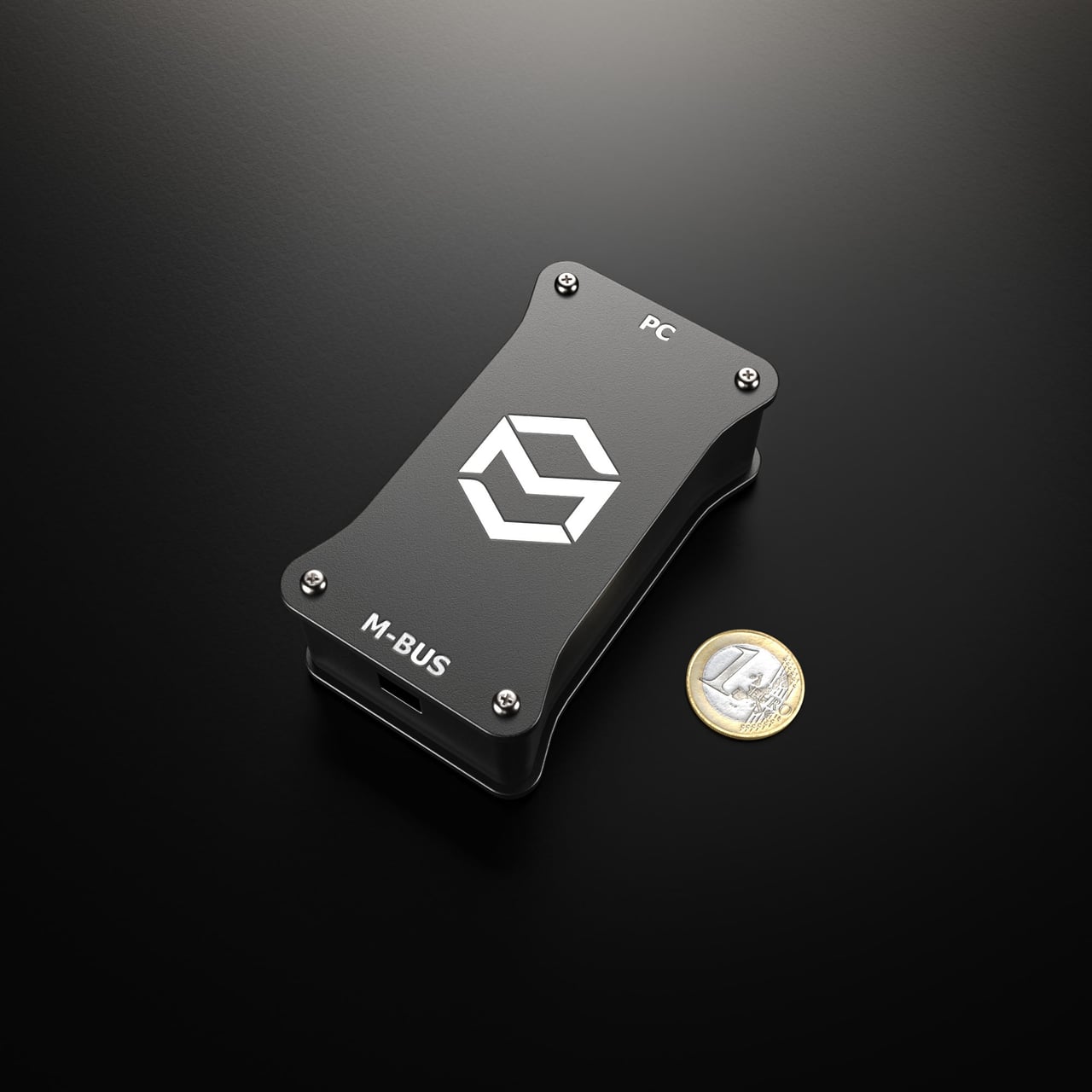
Palm-sized. Plugs into USB. It answers the platform SDK.
The imitator is a compact, USB-powered box on the desk next to the workstation. A single USB-C cable connects it to the PC, and because it comes pre-programmed to emulate a specific platform, the integration software meets the exact same SDK and control interface as the platform in production - weeks before it is built. Nothing else to connect, and no physical motion. For B2B teams integrating through the SDK, the M10 is available free on request with a first platform order that includes a ForceSeatMI or ForceSeatDI license - Qubic System or Professional Series - so software work can start while the platform is still in production. It comes with a 6-month SDK license: comfortably longer than the integration itself takes.
- PC connection
- USB-C (USB 2.0 / 3.0)
- Emulates
- Any PS / QS platform
- Footprint
- Fits in one hand
The Cost of Waiting
Traditional "Waterfall" integration delays software testing until hardware delivery. The Hardware Imitator M10 enables a "Parallel" workflow.
Traditional Waterfall (Slow)
Parallel Integration (Fast)
A protocol-exact
integration target.
The imitator does more than echo signals back. Its firmware answers the same SDK commands as the finished platform, at the protocol level, so the integration code meets an exact software target - with no physical motion. Motion tuning and final acceptance run on the delivered platform - the M10 gets the software ready before it arrives.
Command Validation Verify how the platform answers out-of-range commands. If the integration code asks for an impossible position, the imitator returns the fault response over the protocol.
Fault-Handling Testing Replay fault and safety-state signals over the protocol. Verify that the integration software handles emergency and error conditions correctly, with no prototype at risk.
Timing and throughput The link carries the protocol stream of the platform, so integration is validated against the real command and telemetry protocol.
// ForceSeatMI - C/C++ integrationFSMI_Handle api = ForceSeatMI_Create();ForceSeatMI_ActivateProfile(api, "SDK - Vehicle Telemetry ACE");ForceSeatMI_BeginMotionControl(api);// per frame - send telemetry, then read the platform back:ForceSeatMI_SendTelemetryACE(api, &telemetry);ForceSeatMI_GetPlatformInfoEx(api, &info, sizeof(info), 100);// M10 answers exactly as the platform does:> Connected: yes, State: running// on shutdown:ForceSeatMI_EndMotionControl(api);ForceSeatMI_Delete(api);Connection Topology
Speaks the bus the platform uses
The imitator presents the industrial bus the platform uses over a USB link to the workstation. The integration meets the real protocol and wiring interface, not a software stub that behaves differently once it reaches real hardware.
Operational Scenarios
How system integrators put the M10 to work across typical projects.
Parallel Development
The software team starts coding on day one using the M10 while hardware is still in production. Eliminates 8-16 weeks of idle time from the project timeline.
Distributed R&D
The software team works from a normal office. No need to place a half-tonne motion platform next to every developer desk.
Automated Regression Testing
Keep the M10 on a Windows test bench and re-run the SDK integration against the real protocol on every build. Regressions surface on the bench, not after the platform is deployed.
Pre-deployment Setup
Stage the SDK integration and platform configuration for a client venue before the hardware ships. Ready to commission the moment the platform arrives.
Reuse Across Projects
Integrate the SDK once, then reuse it across every platform in a portfolio. New project, new platform config - the integration code does not change.
Describe the project being built.
Quick question or a full simulator project - the team reads everything.
What happens next?
Confirmation & initial review
A dedicated account manager reads the message directly.
Technical assessment
The team analyzes feasibility and prepares questions or an initial concept.
Proposal delivery
Detailed technical proposal with a platform recommendation, transparent pricing, lead time, and integration timeline.
Team support
Ongoing support from the team behind the recommended platform - for the life of the project.