Motion Post Processing
Apply gain, linearity curves, and curvature offsets to fine-tune platform movement output.
1 Introduction
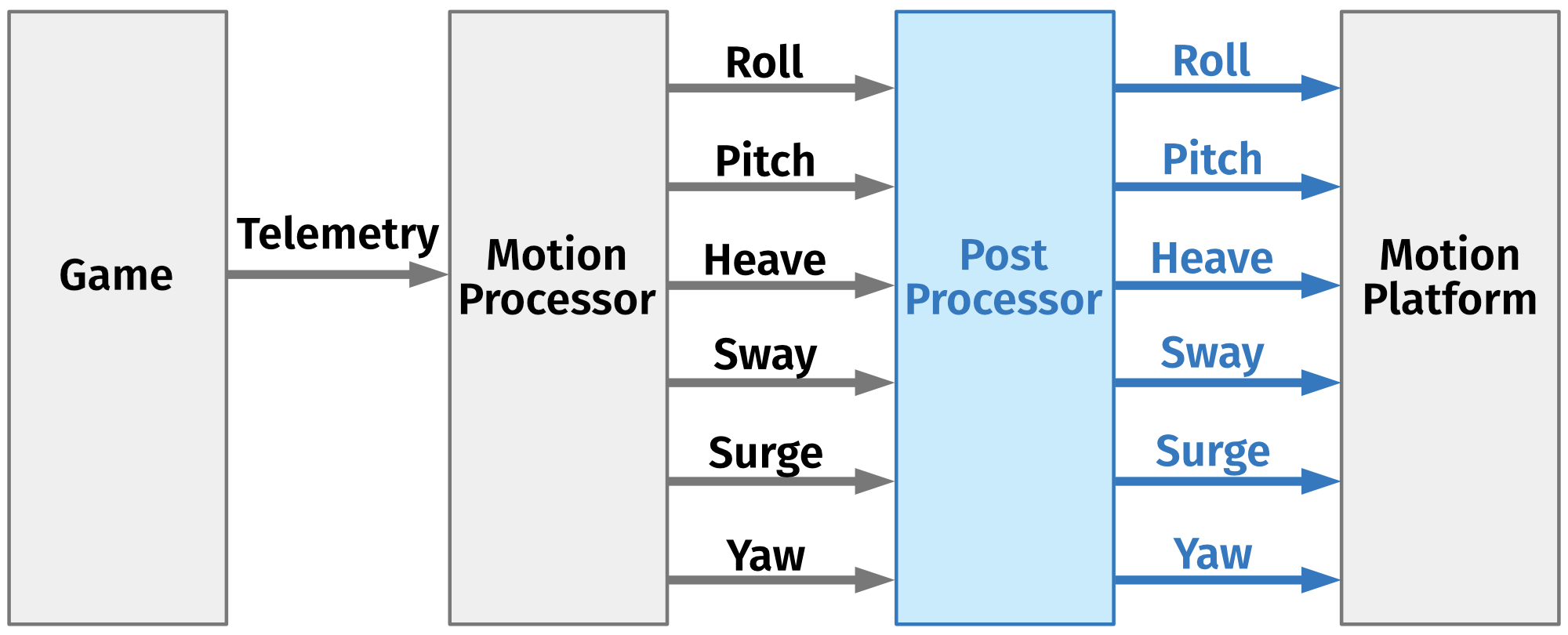
Telemetry data sent by games is passed to the Motion Processor. This module transforms vehicle position, accelerations and velocities into top frame movements of the motion platform. As a result of this operation, 6 values are generated (roll, pitch, yaw, heave, sway and surge). Despite the fact that the motion processor performs necessary filtering on telemetry data, the output data is in the most cases linear compared to the input data (e.g. surge to forward acceleration). Good linearity might be desired for professional motion platforms, but sometimes it is not wanted for less capable motion platforms including seat movers. The Post Processor job is to reduce linearity. It uses output from the motion processor, applies required modification (e.g. curvature and gain) and sends output to the motion platform.
2 Configuration
Both the motion processor and the post-processor can be configured by the user with the usage of quick tunes sliders. In case of the motion processor, list and functions of quick tunes are game dependence. In the case of the post-processor, the list depends on the connected motion platform type and supported type of motions (DoF).
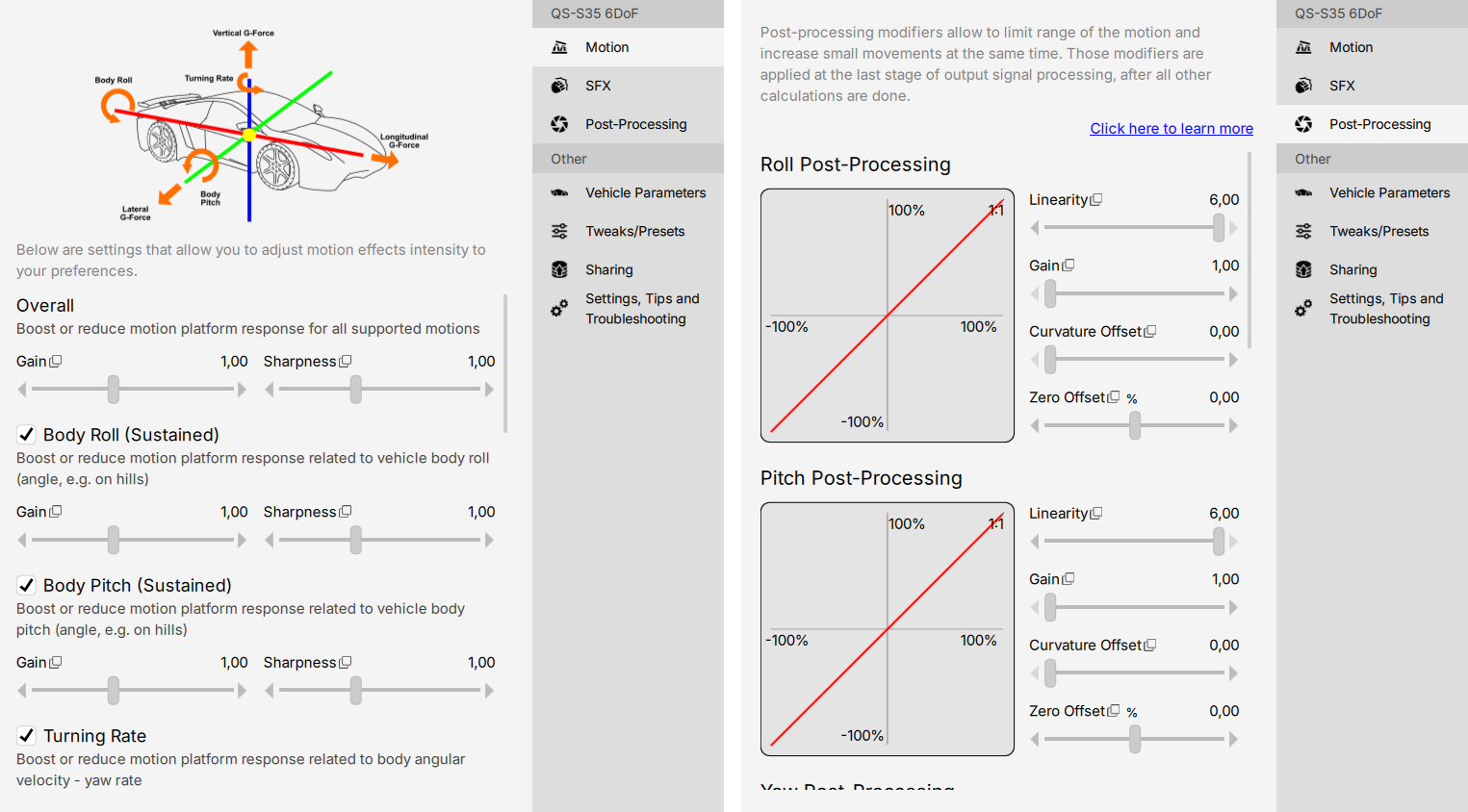
Each motion (e.g. roll) has three parameters that define the operation the post-processor is going to perform on the receiving data. To make it easier to understand, the platform manager draws a graph which shows how the signal is modified. Horizontal axis represents input data (X), vertical axis represents output data (Y). The red line is a modification function, by default it is a linear function (Y=X).
3 Gain
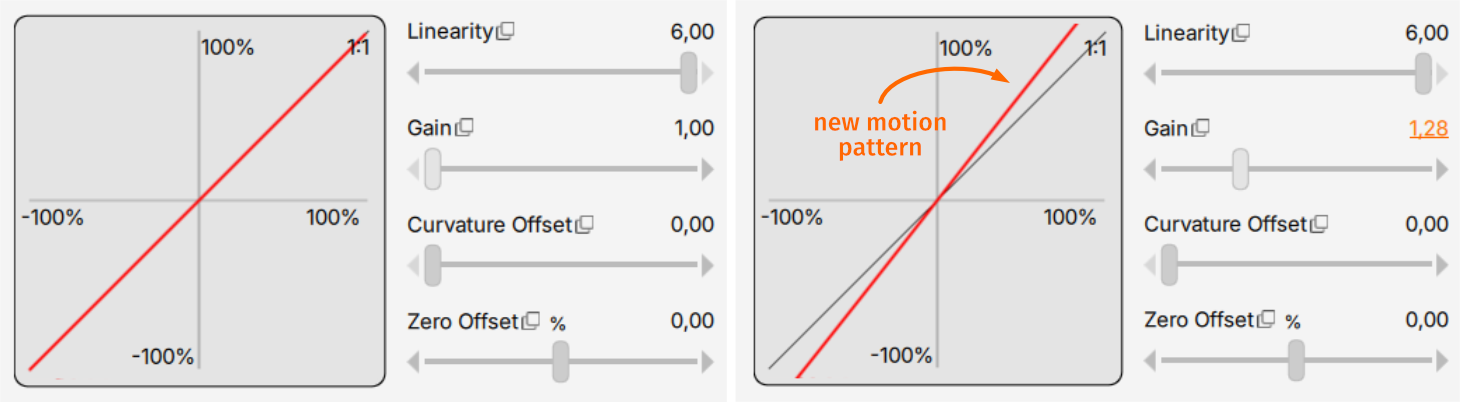
The gain defines signal amplification. When used in combination with low linearity, it can be used to boost short movements and reduce long movements.
4 Linearity
It changes how long movements are interpreted by the motion platform. It allows to keep short movements unaffected and in the same time reduce long movements.
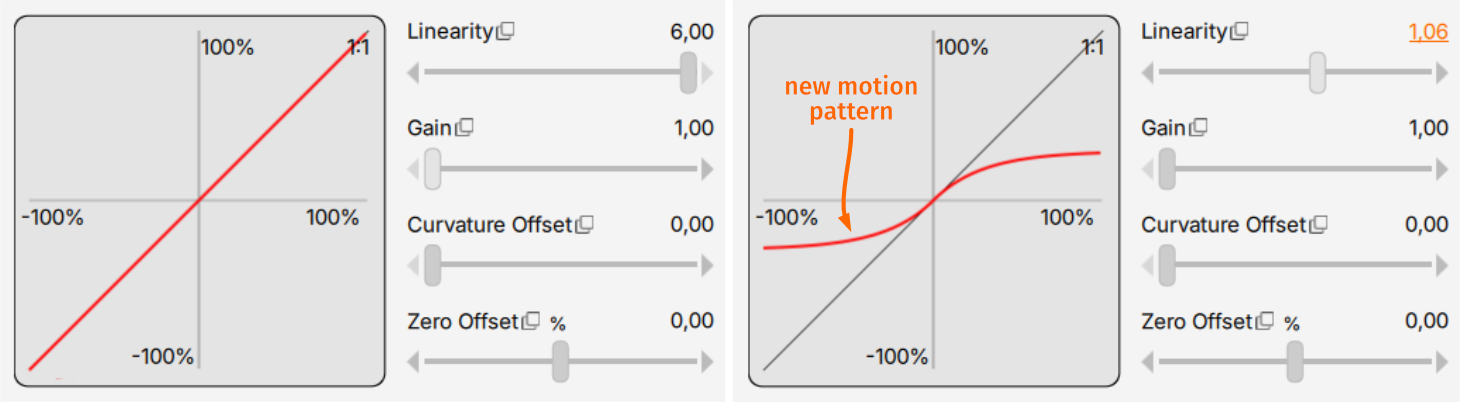
5 Curvature Offset
These parameters make sense only when used with linearity. It allows to define the start point for curvature. Bigger offset moves modification threshold far away from small movements to medium movements.
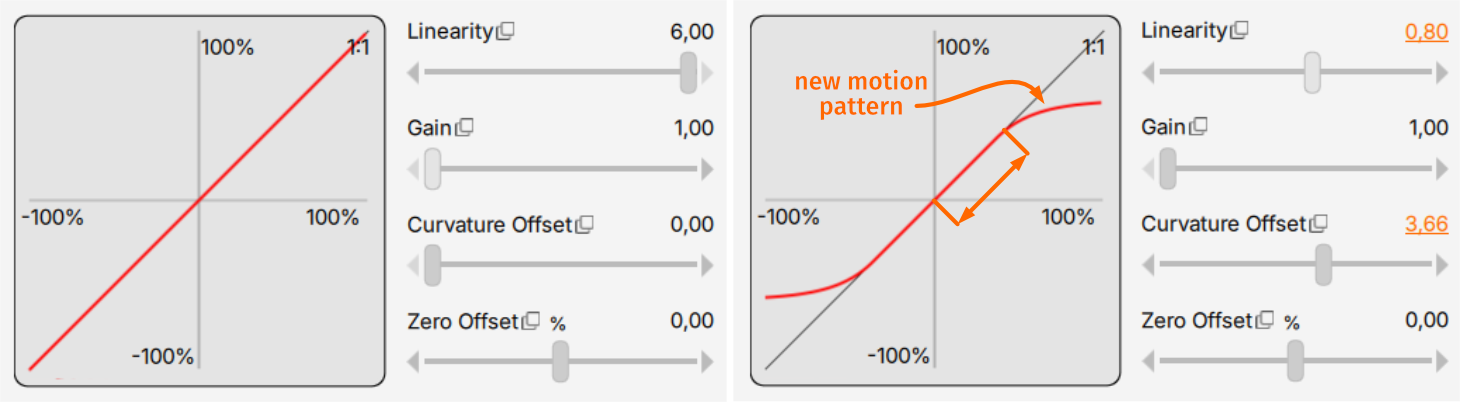
6 Zero Offset %
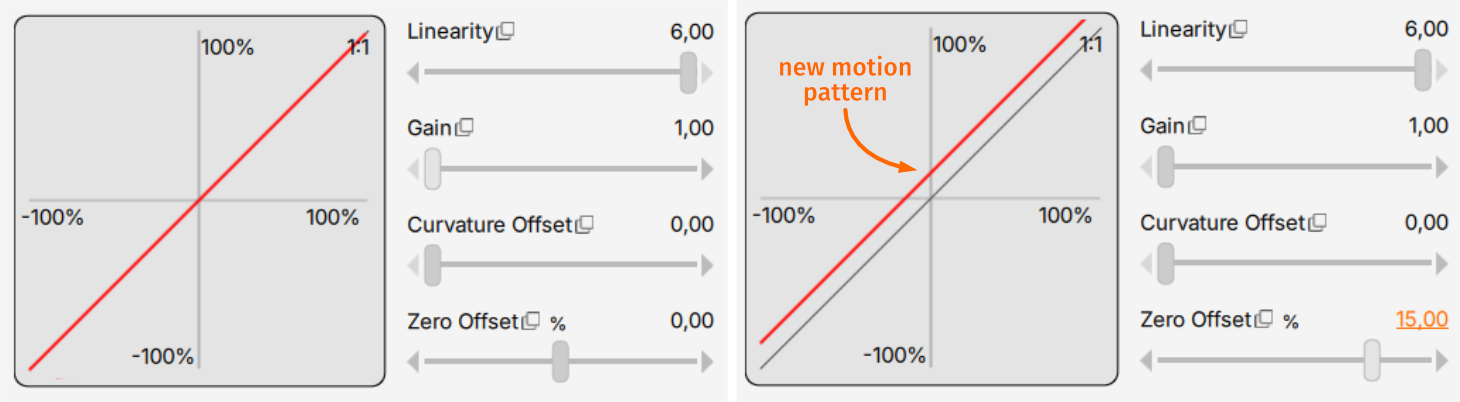
The Offset Adjustment operates by shifting the neutral (zero) position of the selected axis before motion feedback is generated. As a result, the starting point of movement is moved away from the physical center of the actuator range.
Applying an offset reduces the available travel range on the affected axis. The available stroke will be reduced by the same percentage that is used for the offset adjustment.
The Offset adjustment function is primarily intended for use with the QS-H13 seat mover. Although it can technically be applied to other motion platforms, its use in such configurations is not recommended.