
UDP Proxy - Dirt Rally 2.0 + FanaLEDs
UDP proxy/forwarder setup for sharing Dirt Rally 2.0 telemetry between platform manager and FanaLEDs.
1 Introduction
When the game sends telemetry data using UDP, only one application can receive it on local computer. It means that by default you cannot have both platform manager and dashboard application running at the same time on the same UDP port for games like e.g. Forza Horizon 4, Forza Motorsport 7, Dirt Rally and Dirt Rally 2.0.
One solution for this problem is when the game can send the telemetry data to more than one UDP port but this is supported only in a few Codemasters titles. For other games, it is recommended to send the telemetry data directly to ForceSeatPM and then use built-in UDP proxy/forwarder to send the same data to 3rd party applications.
2 Clearing configuration XML file
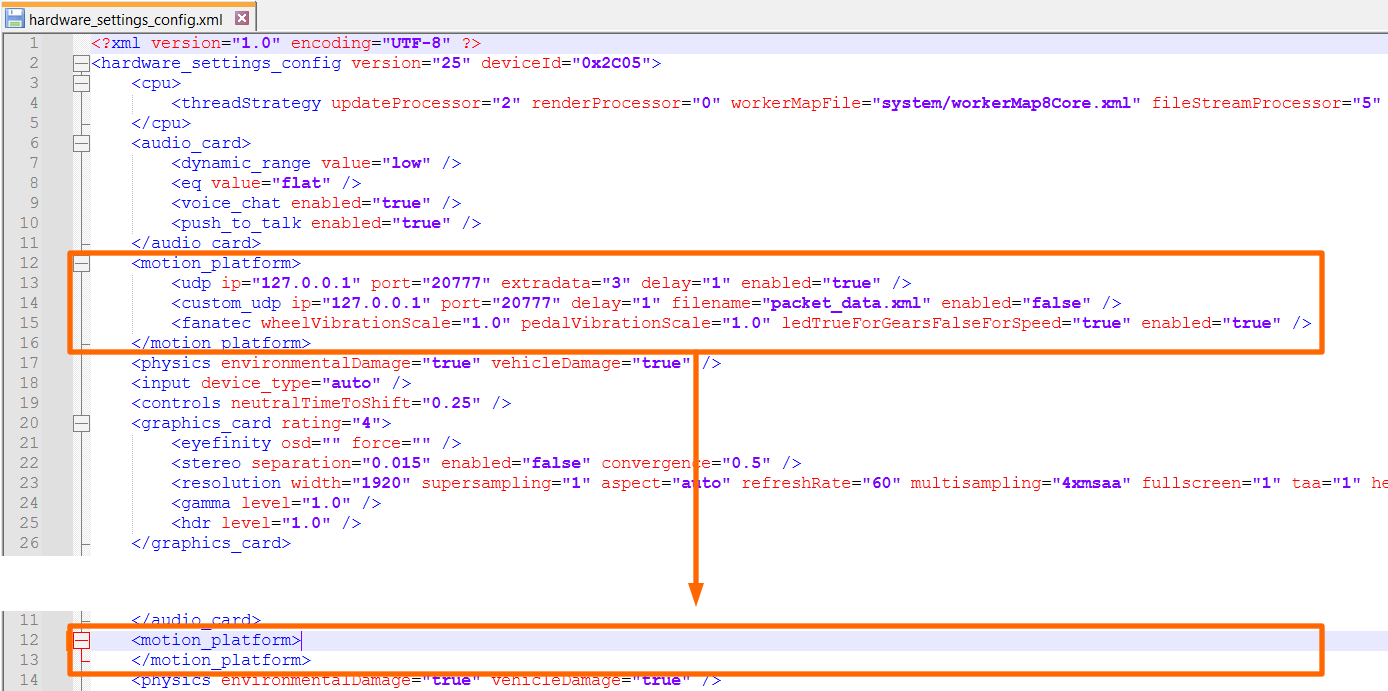
First step is to make sure that the game configuration file does not contain any unsupported entries. In order to do this, go to Documents → My Games → DiRT Rally 2.0 → hardwaresettings and open hardware_settings_config.xml in notepad (we recommend using Notepad++).
Next remove everything between <motion_platform> and </motion_platform> XML nodes. The correct file should look like shown below.
3 FanaLEDs configuration
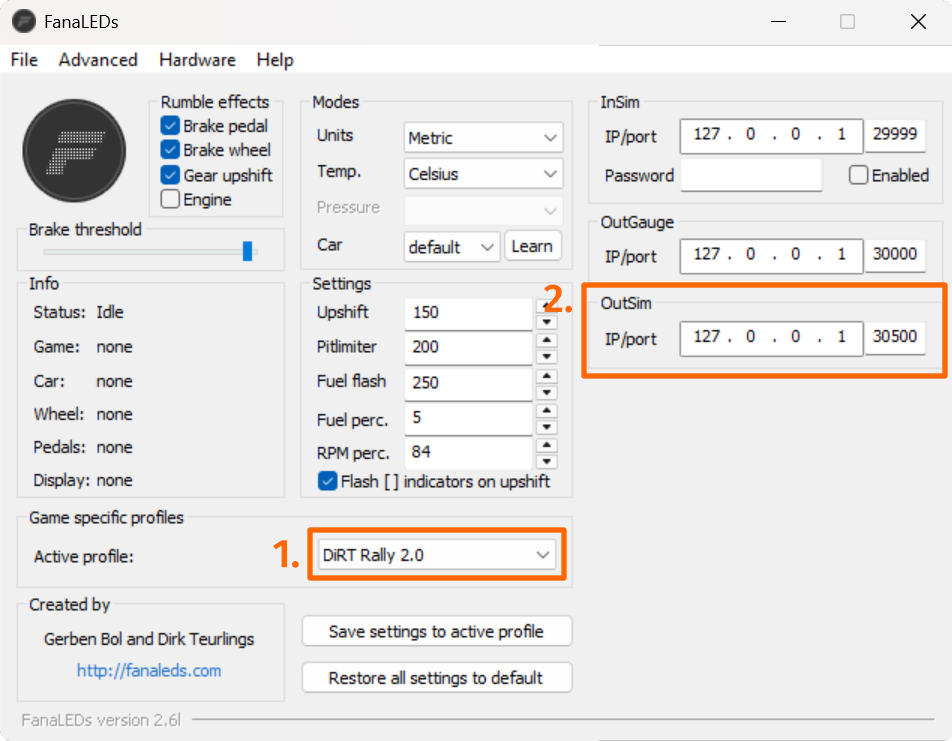
Open FanaLEDs application, switch to Dirt Rally 2.0 (1.) profile and check IP address and UDP port and for OutSim (2.). By default it should be 127.0.0.1 and 30500.
4 Platform manager and game configuration
Go to Action Center and click Check configuration. The platform manager should find that Dirt Rally 2.0 has to be configured again. Allow the program to configure the game.
Go Documents → My Games → DiRT Rally 2.0 → hardwaresettings and open hardware_settings_config.xml in notepad again. Verify that there is only one entry in <motion_platform> section:

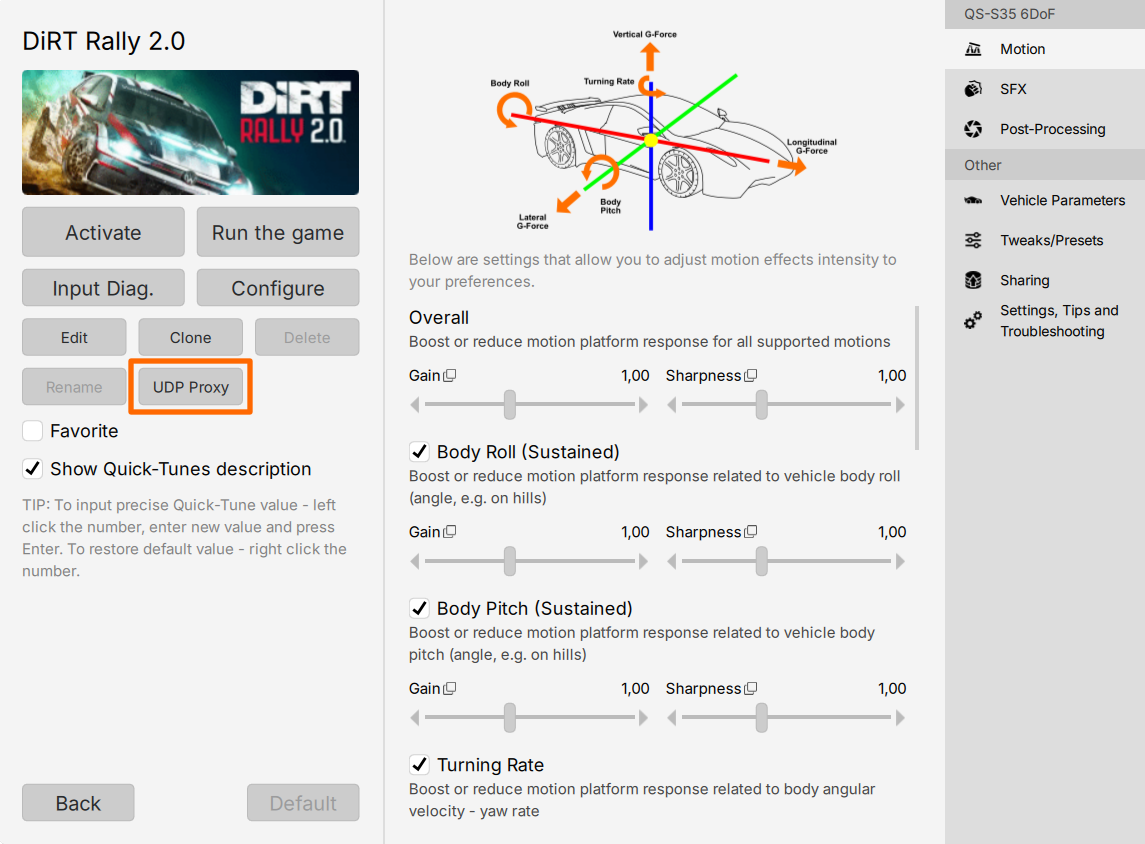
Go back to platform, open Dirt Rally 2.0 profile details and click UDP Proxy button.
Switch to UDP Proxy/Fowarder tab (1.) and click Add (2.).
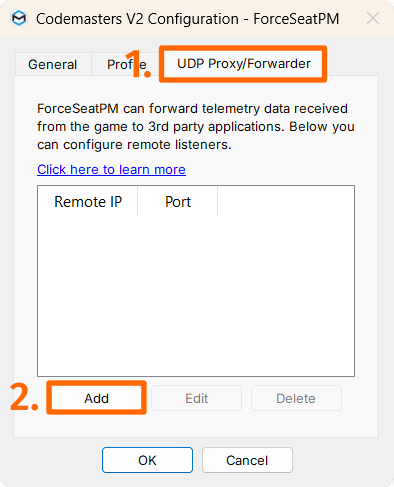
Enter the same UDP port which is used by FanLEDs for OutSim (by default 30500).
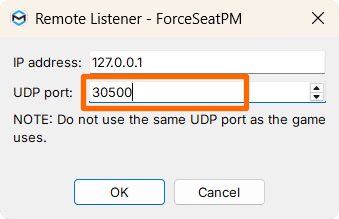
Click OK → OK → Save & Close. Activate Dirt Rally 2.0 profile, start the game and verify if both FanaLEDs and the motion platform work correctly.